
If you have a multiple list account, you can use your own domain to replace simplelists.com. In fact, you can add as many domains as you like, which means you can totally brand the system as your own. Combine using your own domain with branding your landing pages for truly professional results. This short post will explain how to use your own domain and, once you have done this, how to improve the deliverability of your emails.

A daily digest summary is an email containing a compilation of new emails sent by members of a list. This can be a handy function to avoid clogging up members’ inboxes, reducing the number of emails they have to scan each day. To receive an email digest, members will need to opt to receive it. In this short post, we explain how to set up daily digest summaries with Simplelists.
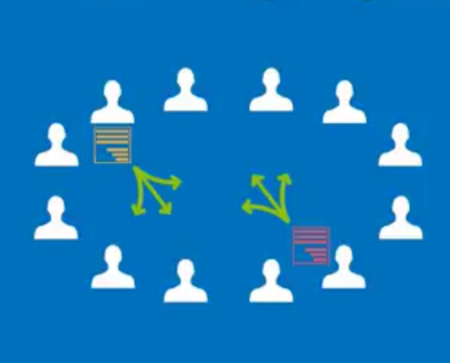
Sometimes, you need more than one email list. You may need separate lists for different businesses, groups or organisations, or different lists for groups within your organisation. For example, one list for employees and another for managers, or individual lists for different topics, such as one list for marketing and another for discussion. In this short post, we tell you how to set up multiple lists using Simplelists.
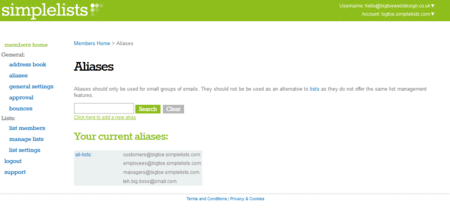
Email addresses can be difficult to remember, resulting in mistakes when people send you an email. An alias can be used to make a straightforward replacement for a long or hard-to-remember address. An alias can also be used to forward messages sent to the alias on to another specified email address or group of addresses.
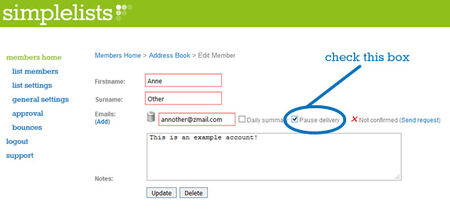
Some of our customers have requested a feature where members can take a break from receiving list emails rather than completely unsubscribe. We could see that this feature would be useful in a lot of situations...

If you’re setting up a discussion group these days you have a lot of options to choose from. You could use a social media platform, such as a Facebook ’closed’ group, to host your discussion or you could choose to use a group email service like Simplelists.

We’ve recently produced some videos with instructions on how to use your own domain with your email lists. The main advantage to using your own domain is that you can brand the entire Simplelists system as your own.

Simplelists is designed to be really easy to use with only very basic computer skills needed to manage your email list - if you can click and type you can use Simplelists! However, there are also a range of technical features which open up a world of options for more advanced users. One of these is an API...

Simplelists has a feature which allows you to insert members’ names into the group emails that you send. We’ll jump straight in and tell you how to do it and then discuss why it’s useful and when it is important to include a person’s name.

In Part 1 we described Simplelists’ major features that are related to managing list members, setting permissions and restrictions for members and customising your emails. In this post we’ll give you an overview of the features that are related to controlling subscriptions, integrating your list with your websites and things that we do to ensure high delivery rates.

In recent blog posts we’ve considered two of the most popular uses for Simplelists, the ’listserve’ and ’email marketing’. However, don’t think that you’re limited to just these uses - Simplelists is designed to be flexible so that you can use it for many different tasks.

As you probably already know, Simplelists is a service that is designed to make group email really easy... but what are people using Simplelists for, and why?
