
Let’s take a trip down memory lane, and revisit the internet as it was in 2001.

Are you searching for an efficient, effective and straightforward way to communicate with your team members, students or email subscribers?
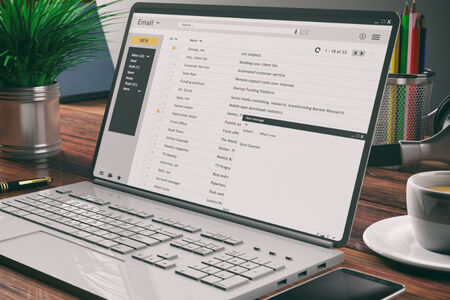
Email is one of the most important communication tools for many organizations.

A mailing list is a collection of email addresses from people that are interested in receiving updates via email from an organisation.

In the digital communication landscape, email is one of the most traditional channels.

The answer is simple: To save time, money, and resources.

If you’re running a business, sports club, charity or educational establishment, you’ll understand how important effective communication and collaboration is.

Two of the most popular reasons that our customers use Simplelists are as a listserve and for email marketing. However, these are not the only things you can use it for. We have designed Simplelists to be flexible so that you can complete a range of tasks. Here are some of the key ones.

A healthy email list is important to ensure that you can contact a range of clients and drive success in your business. If you are already using Simplelists for email marketing, this won’t come as a surprise. If you are just starting a business, developing a list of contacts or ‘members’ can be challenging, especially when your customers are receiving other marketing messages in their inbox and becoming more sensitive to spam. Nevertheless, there are some effective ways to build a list of relevant members who will want to receive your emails.

It has been estimated that just under 80% of emails sent by email marketers to people who signed up to your list reach the inbox. This is a pretty staggering number when your recipients have subscribed legitimately. This is because spam filters are becoming increasingly sensitive to make sure that non-legitimate emails do not get delivered. To avoid your email ending up in the spam folder, there are some simple things you can do.

Simplelists offers you a range of options for managing your group email. It’s important to note that we offer free trials for single and multiple list accounts so you may want to use these to carry out a one-off email campaign or have a go at setting up a group list. In this post, we explain the types of accounts in more detail so you can make the right choice to suit your needs.

We have written on this blog before about the importance of email deliverability and what we do to ensure your emails reach their recipients. Spam filters implemented by different email clients (Gmail, Yahoo, Hotmail, etc.) are becoming increasingly sensitive, to make sure that non-legitimate, spam emails aren’t delivered. Ensuring emails are delivered to the inbox is pretty much guaranteed if your list members have 'whitelisted’ you. This means, simply, that you (as the sender) have been added to their list of 'approved’ or 'safe senders’. Different email clients carry out the whitelisting process in different ways and use different terminology. In this short post, we explain how to whitelist email addresses in Gmail.
